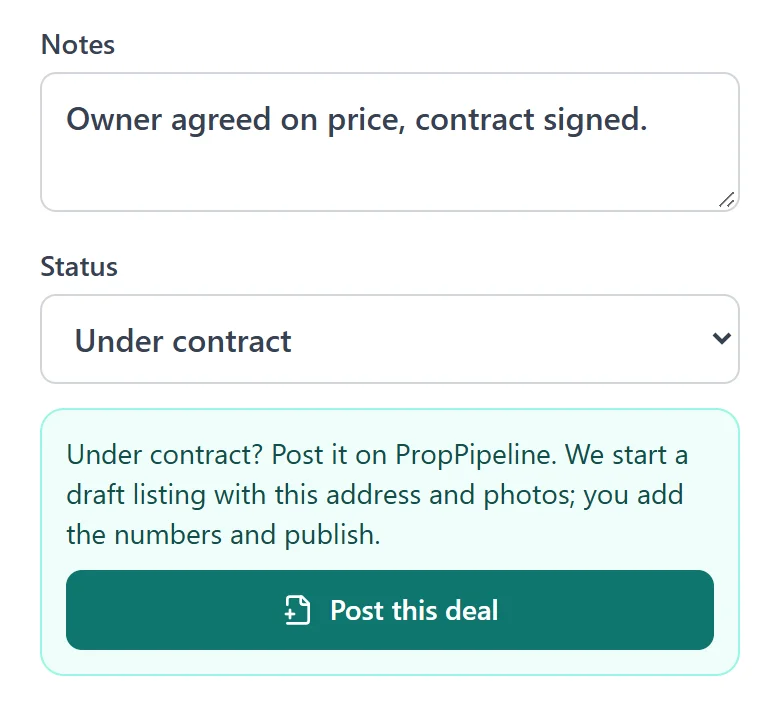
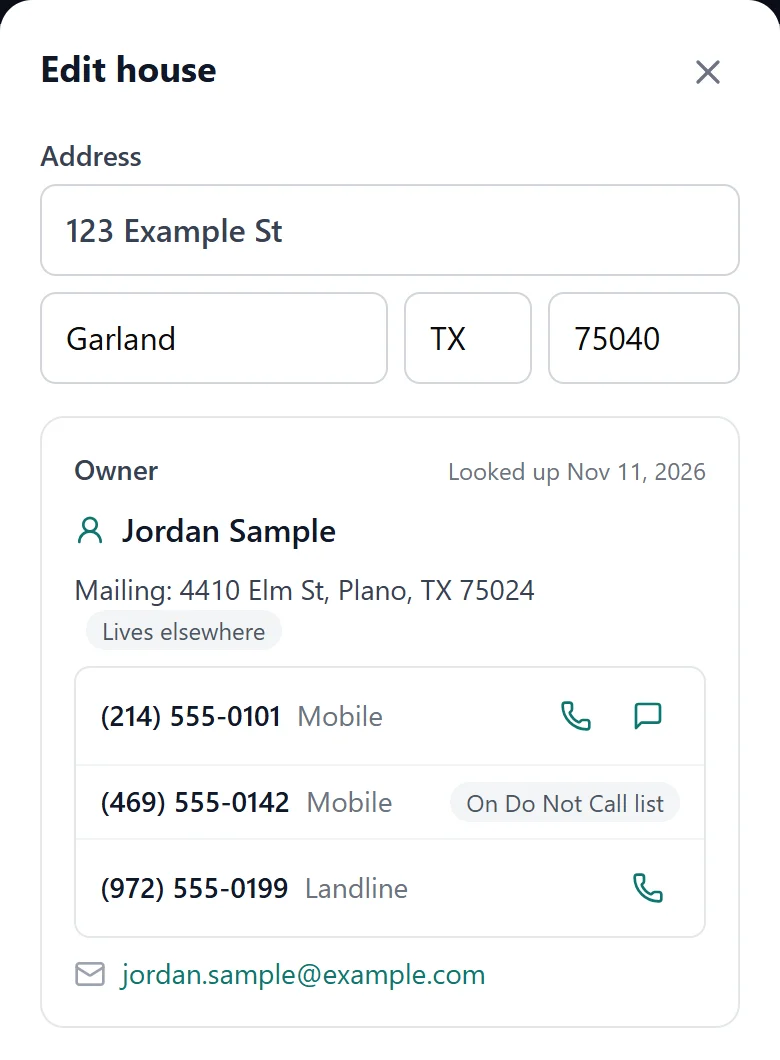
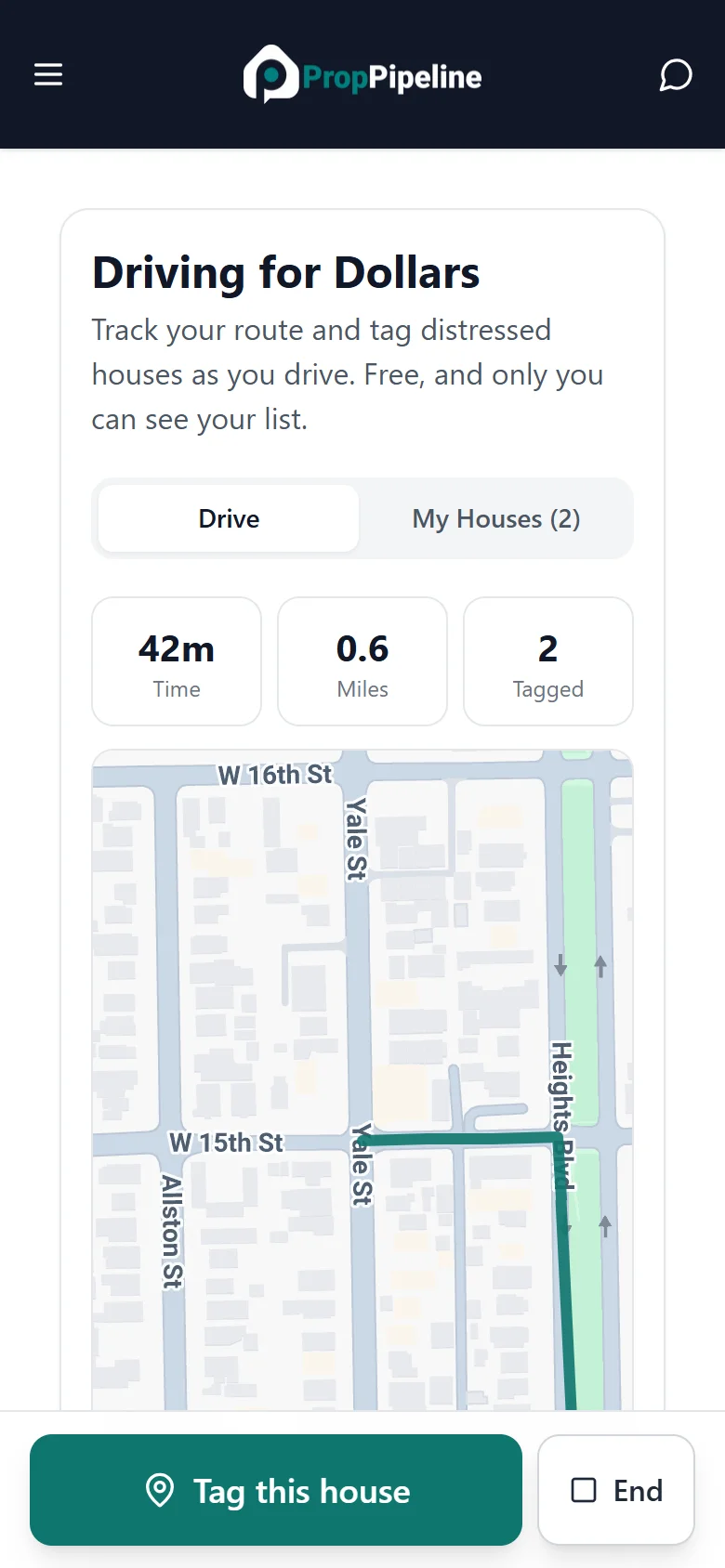
Tagged a house? Now you can find its owner without leaving PropPipeline. Open the house in My Houses and tap Find owner, or check several houses and find them at once.
What you get
The owner's name and mailing address, with a note when they live somewhere else.
Phone numbers, marked when they're on the Do Not Call list, with tap to call or text.
Email addresses.
The owner in your CSV export too.
What it costs
Every member gets 3 free lookups to try it.
After that, packs of 20 for $5, 50 for $10 or 150 for $25. No subscription, and lookups never expire.
A lookup is used only when an owner is found. Misses are free.
Driving and tagging stay free. Owner Lookup works only on houses you tagged yourself, never on deals listed on PropPipeline. Find Driving for Dollars on your dashboard under Find sellers, or in the Tools menu.
Subject-to and seller finance deals now have their own terms on PropPipeline, so buyers see the numbers that matter for these deals at a glance.
Wholesalers
When you post, pick how a buyer can purchase it: Cash or loan/hard money, Subject-to or Seller finance.
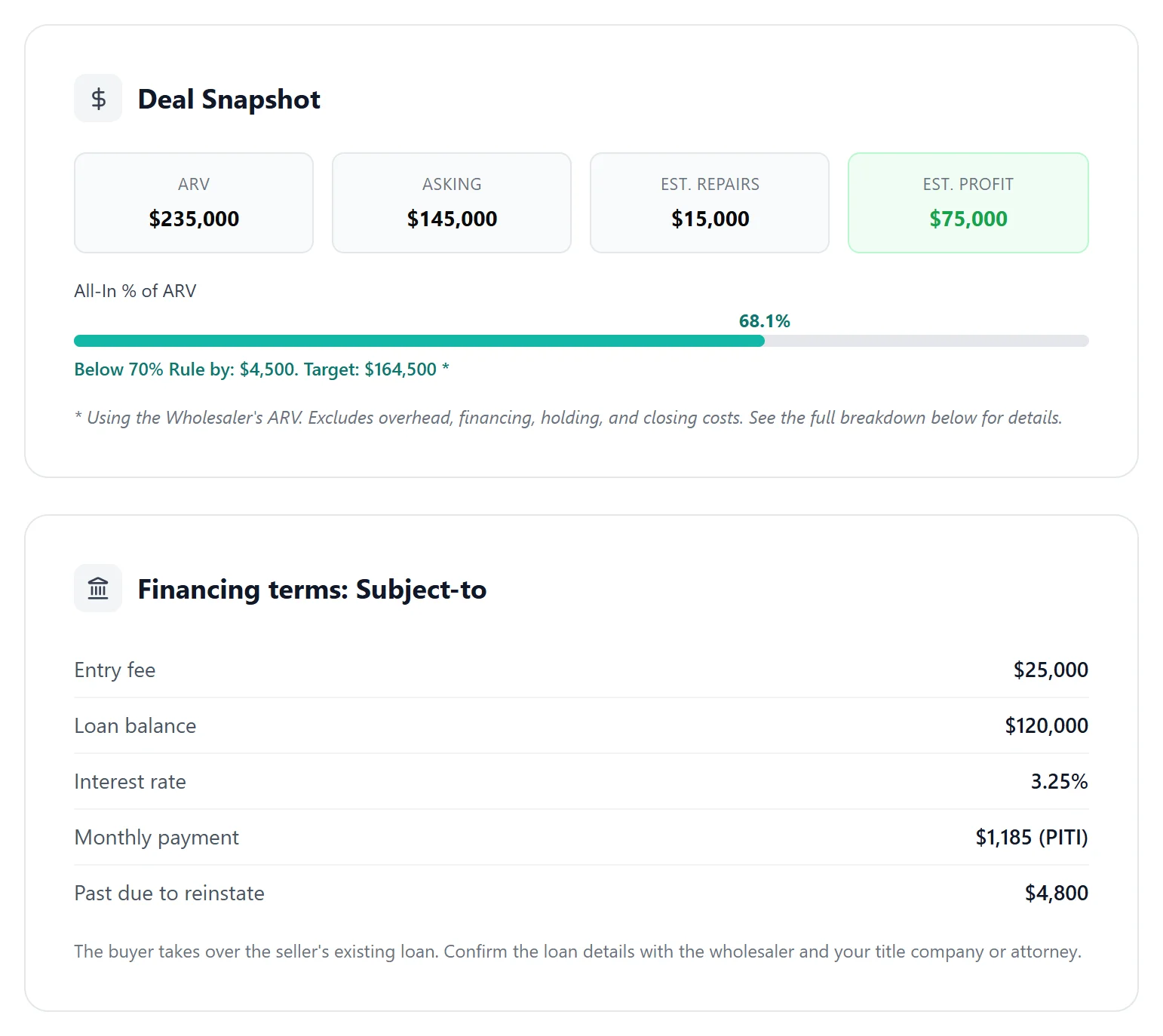
Add the entry fee (or down payment), loan balance, interest rate, monthly payment and, for subject-to, any past due amount. The asking price fills in as the entry fee plus the loan balance, and you can change it.
Paste your post and Auto-Fill picks up the terms for you, from text, screenshots, flyers and emailed deals.
Buyers
Deal cards show the terms in one line, like Subject-to · $25K entry · 3.25% · $1,185/mo.
Each deal page has a Financing terms section with every number the wholesaler gave.
Tap Creative finance on Browse Deals or the map to see only these deals.
As always, confirm the loan details with the wholesaler and your title company or attorney before you close.
Analyze a Deal: Run the Numbers on Any Deal You Get#
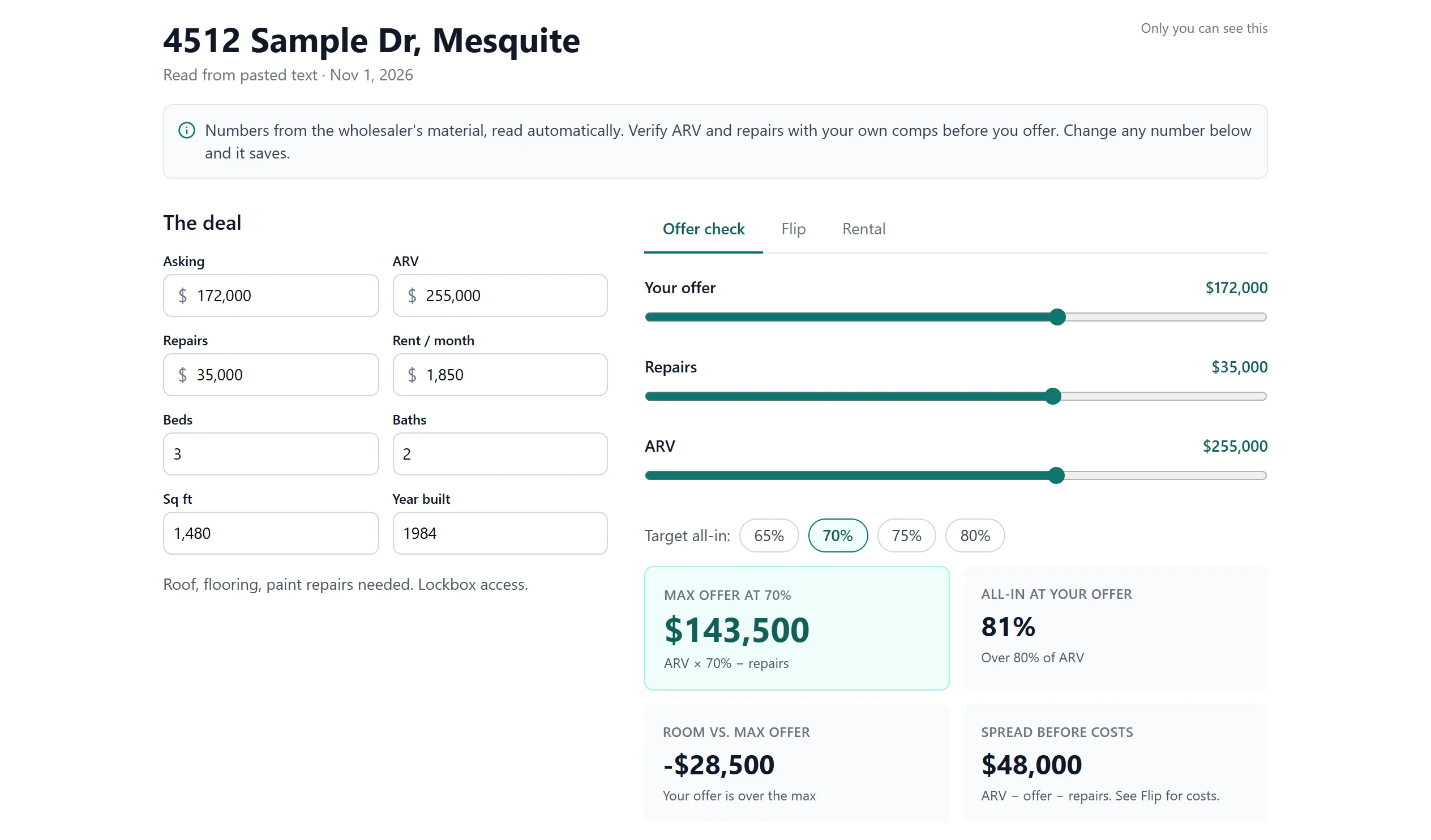
Buyers, you get deal emails, texts and flyers from wholesalers all week. Now you can run the numbers on any of them in one step, whether the deal is on PropPipeline or not.
Bring the deal in any way
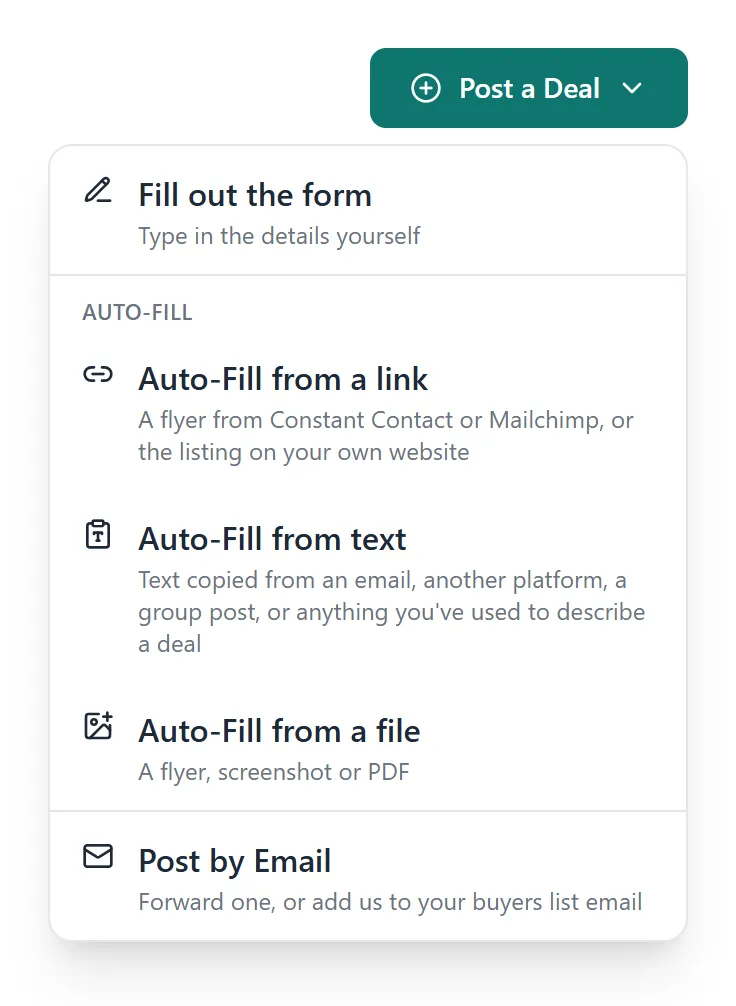
Paste the email or text, drop in the flyer link, or upload a screenshot or PDF. Or type the numbers in yourself.
Forward deal emails to your own private address. About a minute later we email you the numbers and a link to the analysis. You can even give the address to wholesalers for their buyers list.
See where the deal works
Your max offer at the 70% rule (or 65, 75 or 80%), and how far over or under it the asking price is.
Sliders for your offer, repairs and ARV, so you can test a counteroffer in seconds.
Flip profit after holding, loan and selling costs, and rental cash flow, cash-on-cash and cap rate.
Every analysis is private to you and is never posted anywhere. The numbers come from the wholesaler's material, read automatically, so check ARV and repairs with your own comps before you offer. Find it under Browse Deals → Analyze a Deal, or in My Analyzed Deals on your dashboard.
Post Deals by Email, and Show Your Deals on Your Website#
Wholesalers, you can now get your deals onto PropPipeline without posting them one at a time.
Your own deals email address
Add it to your buyers list in Mailchimp, Constant Contact or any email tool, the same way you'd add a buyer.
Every deal you send your buyers shows up in My Deals as a draft about a minute later, with the photos from the email and from your Dropbox or Google Drive folder. We email you when it's ready, so you just check it and hit publish.
Got a single deal to post? Forward the email to the same address.
It's private to you. Nothing goes live until you publish, and a deal you've already posted isn't added twice.
Put a "See my deals on PropPipeline" badge or a live deals box on your website. It always shows your latest live deals, and your buyers can follow you here to get every new deal by email. Copy the code from Put Your Deals on Your Website.
Post a Deal From a Link, PDF or Screenshot, and Send Files in Messages#
Less typing on both sides of a deal. Wholesalers can post from whatever they already send their buyers, buyers can set up a Buy Box from a post they already wrote, and both can send files in Messages.
Wholesalers: post from what you already have
Use Auto-Fill a Deal and give it whichever you have:
A link: your flyer page (Mailchimp, Constant Contact, your website's listing), or a Dropbox or Google Drive photo folder. We fill in the listing and bring in up to 15 photos, and you can show the link on your listing as "More photos & details".
A file: a flyer image, a PDF of your deal email (up to 30MB), or a screenshot of your Facebook post.
One email, several deals: an "available inventory" email becomes a draft for each deal, up to 5.
Your saved Basic Terms and Disclaimer are always kept. Every draft waits for you to check it and publish.
Changed your mind? Drafts can be deleted, or archived if buyers already asked about them, from the ... menu on My Deals.
Already wrote a "here's what I'm looking for" post? On your Buy Box, choose Paste a post to fill this in. We fill in your areas, ZIP codes, price and property details, and you check and save. Matching deals are emailed to you as soon as they're posted.
Everyone: send files in Messages
Use the paperclip to send photos or PDFs (contracts, proof of funds, inspection reports), up to 3 at a time. Files can be sent once the other person has replied, only the two of you can open them, and they're deleted after 6 months. Files in a conversation are also listed in its Details panel. As always: never send money based on wire instructions in a file or message. Call the title company yourself.
Wholesalers: Hide Your Street Address Until Your Agreement#
Many wholesalers share the property address only after a buyer signs their agreement. Now you can list that way on PropPipeline.
What's new
In the listing editor, check Hide the street address under the address. Buyers see the city, ZIP and an approximate map area, plus Address on request. You share the address yourself, by message or email, once your agreement is in place.
The street stays private everywhere: the deal page, its web address, the map, Buy Box emails and our Facebook group posts. Only you can see it.
If your title, description or a link still mentions the street, the editor tells you so you can take it out.
It works on any listing, new or already live. For a live deal, old links keep working. Emails and posts that went out before you turned it on already show the address, so for a new deal, check the box before you publish.
Your JV preference on every Facebook post
In your messaging settings, choose No JV deals or Open to JV deals. When we share your deals in Texas investor Facebook groups, the first line says so, and it shows on your deals and wholesaler page too. If you haven't chosen, nothing is shown.
Announcement
Built for Buyers: Wholesalers Decide Who They Work With#
PropPipeline is where Texas wholesalers meet real cash buyers. Some wholesalers told us that a few people messaging them weren't buyers at all: they were middlemen pitching JV splits, "my buyer" deals, or services. We looked into it, and we removed the accounts that were spamming wholesalers or selling services.
How it works
Messages and inquiries should be about buying the deal yourself. Wholesalers decide who they work with: anyone who isn't a buyer can be reported and blocked in one click. We remove accounts that sell services, blast the same pitch to many wholesalers, try to move wholesalers off the site, or come back after being removed.
What's new
Wholesalers: a Not a real buyer? Report button in your messages and Buyer Inquiries. Reporting someone also blocks them from contacting you.
When two wholesalers report the same account, its messaging is paused automatically while we review it.
New accounts can contact a few different wholesalers a day for their first two weeks.
Buyers: nothing changes for you. Ask questions, make offers, and close. Questions are answered in the FAQ and section 3 of the Terms.
No need to delete and repost a deal to get it seen again. Lower the price instead, and buyers hear about it.
What's New
Price reduced: lower your asking price and the deal gets a "Price reduced" tag for two weeks. Buyers whose Buy Box matches it, buyers who asked about it, and buyers who saved it all get an email.
Price-reduced deals also go back into the Texas investor groups we share deals in.
A price change counts once it's at least $1,000 or 2% lower, so a typo fix doesn't set off alerts.
Some of the best deals come from the same few wholesalers. Now you can find them in one place and follow the ones who work your market.
What's New
A new Texas Wholesalers directory, under Browse Deals. It lists every wholesaler with a live deal, the markets they post in, and how many deals they have up right now.
Search by name, filter by market, and sort by most deals or most recent deal.
Follow a wholesaler to get their new deals by email, or send them a Direct Message, right from the directory.
Wholesalers: your deals page now has an address you can share, like proppipeline.com/wholesalers/your-company. It's built from your company name (or your name, if you don't list a company), and it updates on its own if you change it. Old links keep working.
You shouldn't have to read an address to know whether a deal is in your area.
What's New
Every deal card shows its market area, like Dallas–Fort Worth, Houston, or Other Texas.
A Market filter on the deals list, your Buy Box matches, My Deals, and each wholesaler's page, with a count of deals in each market.
Pages always open on all of Texas, and a filtered page shows a "Showing Houston" tag you can clear in one tap, so you never miss deals by accident.
Each listing page links to its market's page, so you can see similar deals nearby.
Announcement
Wholesalers: We Share Your Deals in Texas Investor Groups#
Posting on PropPipeline puts your deal in front of more than our own members. I share new deals in Texas real estate investor groups on Facebook, with a link back to your listing so buyers contact you directly.
How It Works
Each post leads with your listing's title, the city and zip code, and your name or company.
Buyers click through to your listing, where they can send an inquiry or a Direct Message.
Rather not? Uncheck Allow PropPipeline to share this deal in Facebook groups at the bottom of the listing form, and that deal stays on PropPipeline only.
It's free, like everything else for wholesalers. No fees and no cut of your assignment.
Improved
Sign In With Apple, and a Better Experience on Your Phone#
Most of you visit PropPipeline from your phone, so I spent some time making it easier there.
What's New
Continue with Apple on the sign-in and sign-up pages, alongside Google. One tap with Face ID, no new password.
Listing pages show the asking price, ARV, and estimated profit at the top, so you see the numbers before you scroll.
One clear button to contact the wholesaler stays at the bottom of the screen, and a simpler inquiry form.
On the map, the market selector no longer covers the Map and Satellite buttons.
New
Wholesalers: Share Your Deals With Your Own Buyers List#
Most of you already send every deal to your own buyers list. Now PropPipeline helps you do that, and gives you credit for it.
How It Works
Click Share with buyers on any active deal in My Deals, or right after you publish.
Copy a tracked link and a ready-made write-up into your CRM blast, email, or text. Or paste your list and send from your own Gmail or email app in BCC batches.
Buyers who sign up from your link automatically follow you, so your next deals reach them too. You'll see how many joined.
Your buyers list stays yours. PropPipeline never sees or stores it: messages go out from your own email or phone, and you only see how many buyers joined, never who.
Improved
Investors: New Buy Box Matches Are Easier to Spot#
When a deal that fits your Buy Box is posted, you shouldn't have to dig for it. A few changes make new matches hard to miss.
What's New
A count on View Buy Box Matches shows how many new deals match since your last visit.
New matches are outlined and tagged on your matches page, so you can see what's new at a glance.
New accounts now get matching deals in a daily email. If you'd like that too, switch Buy Box Matches to Daily in your notification settings.
The weekly recap email is quieter too: it only shows what actually happened, and it skips weeks with nothing new.
Announcement
New: Rentals. I Built It for Myself, and It's Yours to Use Too#
I've been a landlord since 2008, and I got tired of tracking lease dates and maintenance reminders in spreadsheets. So I built a Rentals module into PropPipeline to fix that for myself.
What It Does
Tracks your properties, tenants, and lease terms in one place
Sends reminder emails automatically (air filter changes, freeze warnings, lease expirations), with wording you fully control
Lets you invite a property manager, agent, partner, or spouse to help manage it with you, view-only or full access
It's free, with no property limit. I built it to solve my own problem, so I'm sure there's stuff I haven't run into yet. If you use it and hit something confusing, missing, or just annoying, tell me. I'd genuinely like the help making it better. You'll find it under Rental Portfolio in the left nav.
New
See How Many Investor Buy Boxes Match Your Listings#
Investors set up Buy Boxes so they get notified the moment a deal matches their criteria, but until now, you had no way to see that interest from your side. Now you can.
What's New
Each of your active listings on My Deals now shows how many investor Buy Boxes match it
Your dashboard's snapshot row and weekly recap email both show your total Investor Buy Box Matches too
It's a count only: we don't share which investors matched, and they've already been notified automatically, so there's nothing extra for you to do
Use it as a prioritization signal: a listing with several matches is already getting real attention, so it's a good one to make sure has great photos and a complete description.
New
Skip the Form: Paste Your Deal to Auto-Fill a Listing#
Posting a deal used to mean retyping everything from your own marketing email or text into the listing form by hand. Now you don't have to.
How It Works
Look for Paste to List a Deal on your dashboard or at the top of a new listing
Paste your entire marketing text: specs, price, ARV, condition notes, even your standard terms and disclaimer
We auto-fill a draft listing for you to review, add photos to, and publish
It's a shortcut, not a requirement: filling out the form by hand works exactly like it always has. Give it a try on your next deal and let us know how it goes.
Improved
Your Dashboard Now Has a Dedicated Investor and Wholesaler View#
We split the dashboard into two focused views, one for investors, one for wholesalers, instead of one page showing both toolsets at once.
What's New
Each view now shows only the tools relevant to that role: less scrolling, more relevant content
The sidebar follows the same split: you'll see the tool group that matches your current view
Not seeing what you expect? Use the Investor / Wholesaler switch at the top of the sidebar to flip anytime: it doesn't change your account, just what's shown
Your dashboard link works the same as always: it just lands you on the view that matches your role.
We're expanding how long wholesaler listings stay live on PropPipeline. More time on the marketplace means more visibility for your deals, better search performance, and more chances for a listing to reach the right investor.
Old Model → New Model
Base listing life: 21 days → 30 days
One-time extension: +10 days → +30 days
Maximum total: 31 days → 60 days
This applies automatically, no action needed. Every currently active listing has already been extended under the new timeline, and every listing you publish from now on gets the full 30/60-day window. See the listing lifecycle FAQ for the full breakdown.
New
Message Wholesalers and Investors Directly, In-App#
You can now message another PropPipeline user directly about a specific listing, no more relying on email or phone for an ongoing conversation.
How It Works
Investors: hit "Message" on any listing to reach the wholesaler directly
Wholesalers: reply to any signed-in buyer inquiry from your Buyer Inquiries page
Everything lives in your new Messages inbox, with real-time delivery and unread badges in the nav
You're in control: turn messaging off entirely, or block a specific user, from Direct Messaging Settings. Existing conversation history always stays visible even if you do.
Good news: for a limited time, every new member starts as a Founding Member, with full PropPipeline Pro access, completely free. And if you're already a member, you've already been upgraded, no action needed.
What You Get
72-hour early access to every new deal
25% off all promoted listings
A Founding Member badge on your listings
Early access to new features as we ship them
This won't last forever: we'll close the offer once we've reached our growth targets. Check your status anytime on the Founding Member page.
We published an in-depth guide covering all major Texas wholesale markets, from DFW and Houston to emerging opportunities in Lubbock, Tyler, and El Paso.
10+ Texas markets analyzed: DFW, Houston, Austin, San Antonio, Corpus Christi, Waco-Temple-Killeen, and more
Market-specific insights: Price ranges, investor trends, and growth drivers for each region
Strategy recommendations: Best markets for appreciation vs. cash flow
Direct links to market searches: Jump straight into property listings by market
We added a one-click AI generator inside the Property Editor to draft clean, investor-ready property descriptions, based on your specs, ARV, repair notes, occupancy, neighborhood, and terms.
Key Benefits
Turns your inputs into a polished, structured description in seconds.
Uses rehab details (when provided) to call out value-add opportunities.
Produces skimmable highlights buyers care about (price, equity, exit).
Fill key fields (beds/baths/sqft, ARV, repairs, terms).
Click Generate Description, review, tweak, and save.
5–10 minutes saved per listing
60–80% faster than manual writing
During beta, usage limits apply. For higher caps, manage your plan on Membership.
What's next: title variants, tone controls, photo-aware highlights, repair-scope suggestions, and comps-aware pricing notes. Have ideas? Tell us via Support.